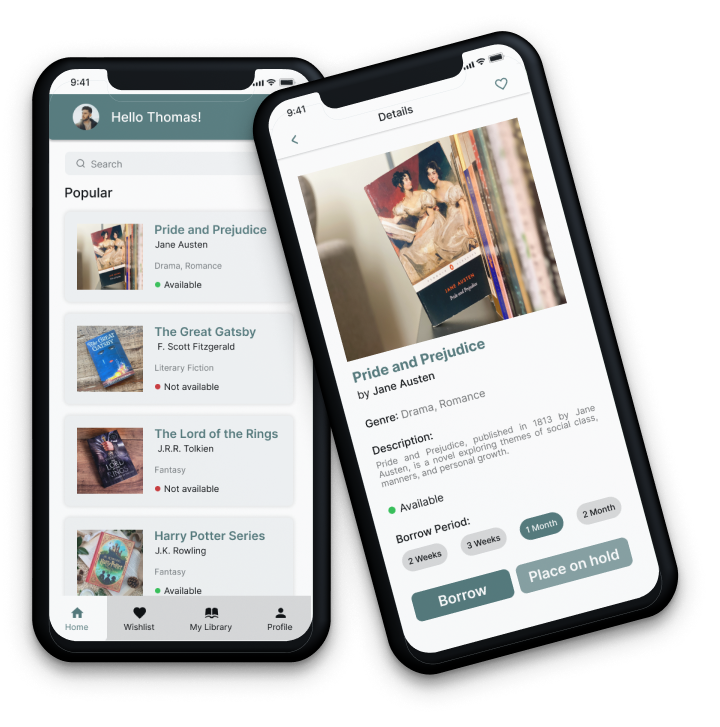
The project aimed to design a public library seeking to digitize its borrowing system. The goal was to design a user-friendly mobile app that enables users to effortlessly search for and borrow books from the library's collection.
As a UI/UX designer, my role was to create a seamless, intuitive design that enhances the user experience while ensuring functionality.
Objectives:
Create a clean, modern, and accessible user interface.
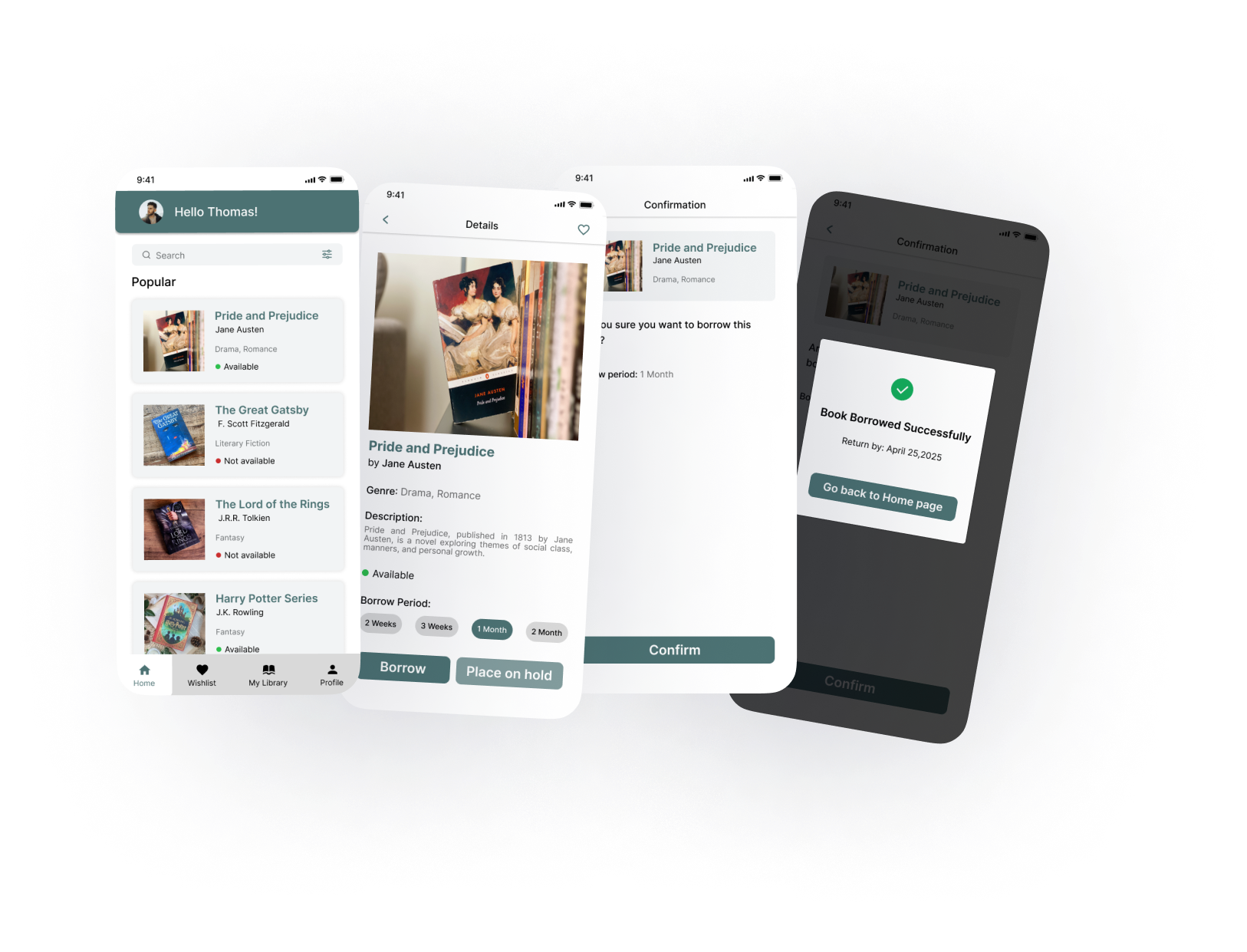
Design a seamless user flow for searching, viewing, borrowing, or placing books on hold.
Ensure the experience is inclusive and intuitive for users of all ages.
Target Audience:
Students, researchers, and casual readers of all age groups.
People with varying levels of digital literacy.
Users who value ease, speed, and convenience when accessing books.
DESIGN PROCESS
Understanding the Brief
After discussing the project scope with stakeholders, I identified four key user needs:
Search for books by title, author, or genre.
View detailed information about the book.
Borrow if available or place on hold if unavailable.
Receive confirmation of action (borrow or hold)
User Flow:
I designed a straightforward and accessible flow. This linear and minimal structure avoids cognitive overload and reduces decision fatigue, ideal for a diverse user base.
STYLE
Typography
Inter
ABCDEFGHIJKLMNOPQRSTUVWXYZ
ABCDEFGHIJKLMNOPQRSTUVWXYZ
1234567890
Inter font is a elegant and modern sans serif font. It is very neat and clean. It have more readability and variety of options. That’s why I used this font.
Inter Bold
Inter Medium
Inter Regular
Inter Light
Colors:
UI Design:
Thank you for your time 🙂
Feel free to provide your valuable suggestion and comments